Box Smartphone Mockup: A Practical Evaluation for Designers and Marketers
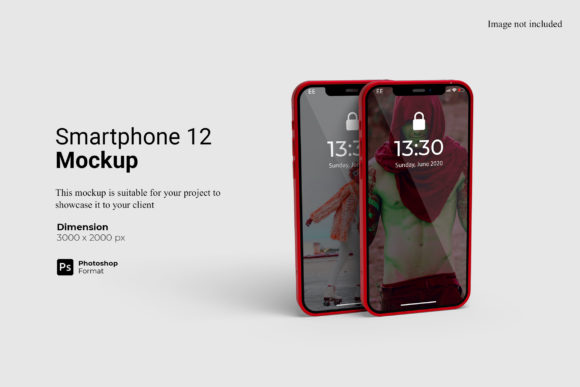
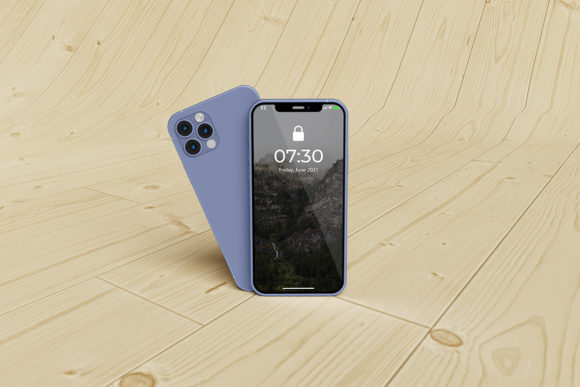
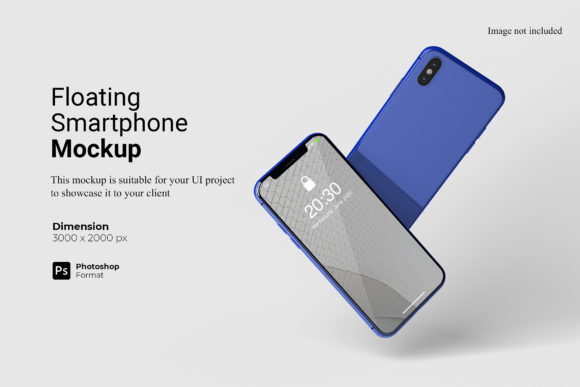
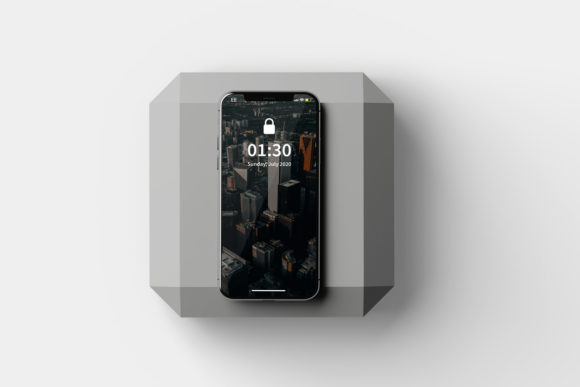
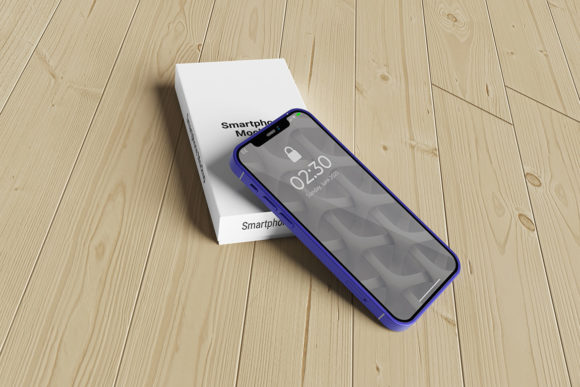
A Box Smartphone Mockup is a digital template or 3D scene designed to display smartphone interfaces—such as apps, websites, or UI designs—within a realistic, stylized box-shaped environment. Unlike flat screen-only mockups, it presents the device at an angle, often with subtle shadows, reflective surfaces, and contextual background elements, all arranged to evoke a premium unboxing or retail presentation. It is not software, nor a physical product; rather, it’s a reusable asset—typically delivered as layered PSD, Sketch, Figma, or Smart Object-compatible files—intended for visual communication and presentation purposes.
Designers, product managers, marketers, and agencies commonly consider a Box Smartphone Mockup when preparing assets for client reviews, pitch decks, app store listings, social media campaigns, or portfolio presentations. Its appeal lies in bridging the gap between abstract interface design and tangible user experience—offering viewers a sense of scale, context, and polish without requiring photography or 3D rendering expertise.
Why Evaluate a Box Smartphone Mockup?
Several practical needs drive interest in this type of mockup:
- Visual consistency: Teams aiming to maintain uniform presentation across multiple devices or platforms may prefer a cohesive box-style aesthetic over varied angles or isolated screens.
- Brand alignment: The clean, minimal framing supports brands emphasizing simplicity, craftsmanship, or premium positioning—especially in tech, SaaS, or lifestyle verticals.
- Efficiency in iteration: With smart layers or embedded placeholders, users can rapidly swap interface screenshots while preserving lighting, perspective, and shadow behavior.
- Accessibility for non-technical stakeholders: Clients or executives often respond more readily to visuals that suggest real-world usage than to wireframes or code-based previews.
Benefits and Realistic Tradeoffs
The primary benefit of a Box Smartphone Mockup is its ability to elevate perceived professionalism with minimal effort. When used thoughtfully, it adds depth and intentionality to static presentations—helping differentiate a concept from competitors in crowded feeds or review sessions. Many high-quality versions support customizable backgrounds, adjustable lighting, and device rotation, enabling moderate variation without sacrificing coherence.
However, tradeoffs exist. First, realism has limits: because the box is stylized—not photorealistic—it may feel less authentic than studio-shot images or advanced 3D renders. Second, flexibility is constrained by the original file structure; heavily customized mockups may require Photoshop or Figma proficiency to edit confidently. Third, overuse risks visual fatigue—particularly if every slide or webpage relies on the same box orientation or color scheme.
Also consider licensing and scalability. Free Box Smartphone Mockup resources often restrict commercial use or lack multi-device variants (e.g., iPhone, Pixel, foldables). Paid versions typically offer broader device coverage and clearer usage rights—but require upfront evaluation of whether the investment aligns with project scope and frequency of need.
When a Box Smartphone Mockup Fits Well
A Box Smartphone Mockup is especially well-suited for projects where clarity, speed, and stylistic cohesion outweigh hyperrealism. For example:
- Early-stage design reviews: When sharing wireframes or low-fidelity prototypes, the box format provides enough context to assess layout and hierarchy without distracting detail.
- Marketing collateral with tight deadlines: Launch campaigns, landing pages, or investor decks benefit from consistent, polished visuals that communicate intent quickly.
- Portfolio curation: Designers showcasing UI/UX work often use Box Smartphone Mockup assets to unify diverse projects under a single visual language—making comparisons easier for potential employers or clients.
- Internal alignment workshops: Teams using shared design systems may adopt a standard mockup style to reinforce component usage and screen-level decisions across disciplines.
When Alternatives May Be More Appropriate
Not every scenario calls for a Box Smartphone Mockup. Consider alternatives if your goals emphasize:
- Contextual realism: If showing how an app functions within daily life matters—e.g., someone using a fitness tracker during a run—a lifestyle mockup with human hands, ambient lighting, and environmental cues may better serve the message.
- Cross-device responsiveness: For demonstrating adaptive layouts across tablets, desktops, and wearables, grid-based or multi-screen mockup sets provide more functional insight than a single-box format.
- Dynamic interaction: Static mockups cannot convey transitions, gestures, or micro-interactions. In those cases, interactive prototypes—or video-based mockups—are more effective evaluation tools.
- Photographic authenticity: Brands in highly competitive consumer markets (e.g., e-commerce, fintech) sometimes invest in custom photo shoots to ensure absolute fidelity to packaging, materials, and lighting—making generic mockups insufficient.
Making a Practical Decision
To determine whether a Box Smartphone Mockup meets your needs, ask three questions:
- What is the primary goal of the visual? If it’s to clarify interface structure, support stakeholder consensus, or maintain brand tone across touchpoints, the box format often delivers efficiently. If the goal is emotional resonance or technical demonstration, other formats may be stronger.
- How much time and technical capacity do you have? High-quality Box Smartphone Mockup files reduce manual editing but still assume basic familiarity with layer management. If team members lack comfort with design tools, simpler screen-only templates or browser-based mockup generators may lower the barrier to entry.
- What is the expected lifespan and reuse potential? A one-off presentation may justify using a free, attribution-required mockup. But recurring use—across quarterly reports, multiple client accounts, or public-facing portfolios—warrants evaluating licensed assets with clear redistribution terms and update support.
Also examine file compatibility before committing. Confirm whether the Box Smartphone Mockup works natively in your team’s preferred tool (e.g., Figma variables, Sketch symbols, or Adobe XD repeat grids). Some mockups rely on legacy features or third-party plugins that may complicate handoff or version control.
Finally, remember that mockups are communication tools—not substitutes for user feedback or functional testing. A polished Box Smartphone Mockup enhances how an idea is received, but it doesn’t validate usability, performance, or market fit. Pair it with real-world testing whenever possible, especially before final sign-off or public release.
In summary, a Box Smartphone Mockup serves a specific, valuable niche: delivering intentional, scalable, and stylistically unified device presentations. Its strength lies not in replacing other methods, but in complementing them—offering a pragmatic middle ground between raw design files and resource-intensive production. Whether it fits your workflow depends less on trendiness and more on alignment with your audience, timeline, and long-term content strategy.