Christmas Decoration Mockup: A Practical Guide for Creators and Businesses
A Christmas Decoration Mockup is a digital template that lets you visualize how your holiday designs—like ornaments, gift tags, wrapping paper, or storefront signage—will look in realistic, festive settings. Think of it as a “try-before-you-print” tool: instead of guessing how your custom bauble design will appear on a real tree or how your branded advent calendar looks on a cozy mantel, you drop your artwork into a professionally shot or 3D-rendered scene—and instantly see the result.
Why This Tool Fits Real Holiday Workflows
Unlike generic design templates, a Christmas Decoration Mockup bridges the gap between concept and context. It’s not just about aesthetics—it’s about confidence. Whether you’re finalizing an Etsy listing, pitching to a boutique client, or preparing social media assets for December, seeing your work embedded in lifelike environments helps avoid costly revisions, misaligned expectations, and last-minute design panic.
Who Uses Christmas Decoration Mockups—and Why
- Etsy sellers & small crafters: Showcase handmade ornaments, garlands, or fabric stockings with photorealistic mockups—no studio rental or product photography budget required.
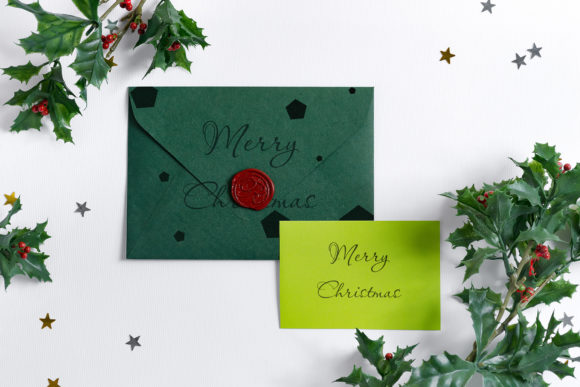
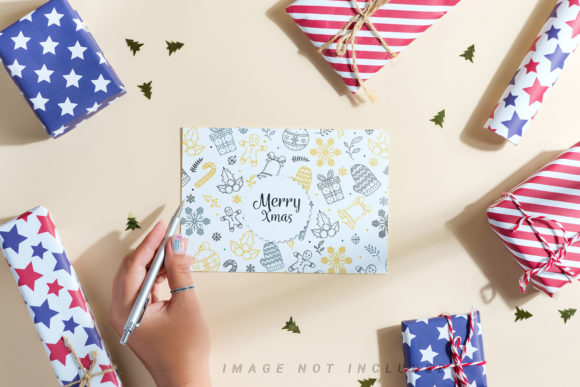
- Graphic designers & freelancers: Present holiday branding concepts (logos, packaging, greeting cards) to clients in polished, seasonal scenes—building trust before a single pixel goes to print.
- Small retailers & cafes: Preview window displays, table centerpieces, or branded napkins on actual counter setups—ideal for planning in-store decor or Instagram content.
- Social media managers: Generate cohesive, scroll-stopping holiday posts in minutes—think “before/after” flat lays, Reels thumbnails, or email header banners—all styled with authentic lighting, textures, and props.
- Print-on-demand creators: Test how patterns render across mug wraps, tote bags, or wall art prints—ensuring scale, alignment, and color harmony hold up in festive contexts.
What Makes a Good Christmas Decoration Mockup?
Not all mockups deliver equal value. Here’s what sets apart truly useful ones:
- Smart layers: Well-organized PSD or Figma files where your design replaces only the intended surface (e.g., the front of a wooden ornament—not the shadow or ribbon).
- Seasonal authenticity: Natural lighting (soft winter daylight or warm string-light glow), realistic textures (matte ceramic, glossy glass, woven burlap), and thoughtful props (pinecones, cinnamon sticks, knitted throws) that support—not distract from—your design.
- Multiple angles & uses: A single ornament mockup might include front, side, and hanging views—or show the same design on a tree branch, gift box, and mantel shelf.
- Resolution-ready output: Files that export cleanly at print-ready DPI (300+) for catalogs or large-format signage, plus web-optimized versions for fast-loading social posts.
- Non-destructive editing: Support for adjustment layers, blending modes, and layer masks—so you can fine-tune brightness, contrast, or color tone to match your brand palette.
Real-World Scenarios Where It Adds Tangible Value
Scenario 1: The Last-Minute Client Revision
A designer sends three holiday card concepts to a local bakery. Instead of describing “warmer red tones” or “more prominent gold foil,” they drop each version into the same Christmas Decoration Mockup showing cards stacked beside frosted cookies and sprigs of rosemary. The client instantly spots which layout feels most aligned with their rustic-chic brand—and approves in under five minutes.
Scenario 2: Scaling Handmade Confidence
An artisan who hand-paints ceramic tree toppers creates a new line featuring snow-geese motifs. Rather than photographing dozens of variations, she uses a Christmas Decoration Mockup with rotating angles and natural pine backdrop. Her Etsy gallery now shows the topper both hung on a branch and displayed on a linen-covered shelf—communicating versatility without extra setup time.
Scenario 3: Prepping for Pop-Ups
A candle brand launching limited-edition peppermint-scented tins previews shelf placement using a Christmas Decoration Mockup of a curated gift shop display. They spot that the tin’s label gets visually lost next to busy plaid wrapping paper—so they adjust typography size *before* printing 500 labels.
Strengths You Can Rely On
A well-chosen Christmas Decoration Mockup delivers consistent advantages:
- Time savings: Replace hours of staging, lighting, and retouching with drag-and-drop realism.
- Brand consistency: Apply the same filter, tone, or composition across every holiday asset—from Instagram Stories to wholesale catalog pages.
- Client clarity: Reduce back-and-forth by showing exactly how a design lives in its intended environment.
- Testing flexibility: Try different colorways, fonts, or layouts on the same mockup—no reshoots needed.
- Accessibility: Enable remote teams or solo creators to produce professional-looking visuals regardless of location or equipment.
Things to Keep in Mind
While powerful, a Christmas Decoration Mockup isn’t magic—and knowing its boundaries helps you use it wisely:
- It doesn’t replace physical proofing for critical print jobs. Screen colors vary; always order a physical sample if color accuracy is essential (e.g., Pantone-matched packaging).
- Context matters more than perfection. A mockup of a velvet ribbon bow on a gift box won’t help you assess how that same bow holds up when tied by hand—so pair digital previews with real-world testing when tactile feedback is key.
- License terms vary. Some mockups allow commercial use for client work; others restrict resale or require attribution. Always check the license before using in paid projects.
- Over-reliance can flatten creativity. Using the same snowy forest background for every post may dilute impact. Rotate mockup styles—or blend with authentic photos—to keep visuals fresh and human-centered.
How to Choose the Right One for Your Needs
Ask yourself these questions before downloading or purchasing:
- What’s my end use? Social post? Print catalog? Client presentation? Match the mockup’s resolution, format (PSD, Sketch, Figma, or online editor), and licensing accordingly.
- Does it reflect my audience’s reality? A mockup showing minimalist Scandinavian decor may feel disconnected for a Southern U.S. boutique known for bold, traditional styling.
- Is the lighting editable? Look for mockups with separate light layers or smart object options—you’ll thank yourself when adjusting for golden-hour warmth versus cool morning light.
- Are shadows and reflections included? These subtle details add depth. Avoid flat, cut-out-style mockups unless simplicity is intentional.
- Can I preview it first? Reputable sources offer live previews or thumbnail galleries—helping you verify style, angle variety, and texture quality upfront.
Ultimately, a Christmas Decoration Mockup works best when treated as a collaborator—not a shortcut. It shines brightest when paired with intention: clear goals, thoughtful design choices, and respect for the real people who’ll experience your holiday creations—whether unwrapping a gift, walking past your storefront, or pausing mid-scroll on a beautifully composed feed.
So whether you’re sketching your first ornament idea or managing holiday campaigns for ten brands at once, let the Christmas Decoration Mockup do the heavy lifting of visualization—so you can focus on what matters most: meaning, warmth, and the quiet joy of creating something that feels like home for the season.