Computer Mockup V4: A Practical Asset for Real-World Digital Presentations
Computer Mockup V4 is a layered, editable design asset—typically delivered as a high-resolution PSD or Figma file—that enables designers, marketers, and content creators to showcase digital interfaces, websites, apps, or graphics within realistic computer screen contexts. Unlike static image placeholders or generic templates, this version represents an evolution in fidelity, flexibility, and workflow integration. It’s not a standalone software or SaaS tool, but rather a production-ready visual resource built for precision and reuse across professional projects.
What Sets Computer Mockup V4 Apart from Earlier Versions
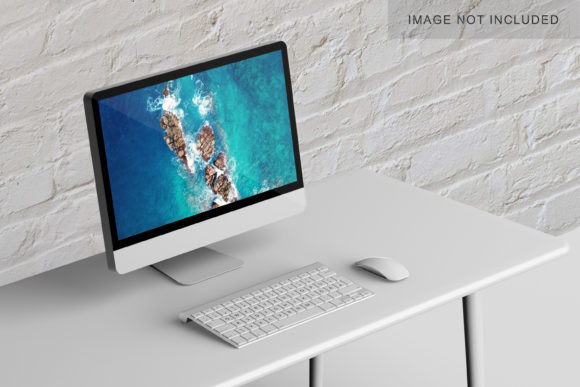
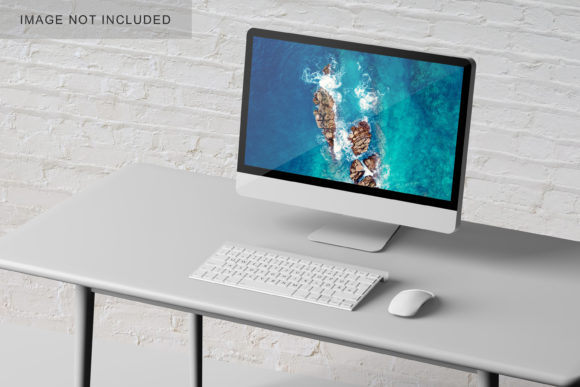
The “V4” designation reflects meaningful refinements—not just cosmetic updates. Previous iterations often relied on flat lighting, limited perspective control, or inconsistent shadow behavior. Computer Mockup V4 introduces improved layer organization (e.g., separate screen, bezel, base, and ambient shadow layers), non-destructive smart object support for screen content replacement, and calibrated color profiles that maintain accuracy across devices. The mockup includes multiple angles—front-facing, 15° tilt, and subtle 3D desk placement—with matching lighting direction and surface reflection logic. These details matter most when presenting to clients or stakeholders who scrutinize realism and contextual credibility.
It also ships with documentation outlining best practices for resolution scaling, safe zones for screen content, and export settings optimized for web, print, and social previews. That attention to implementation detail signals a shift from “nice-to-have graphic” to “integrated production component.”
Real-World Usability and Workflow Integration
In daily use, Computer Mockup V4 performs well across common creative pipelines. Designers using Figma can drop in new interface frames without repositioning or adjusting blending modes; Photoshop users benefit from clearly labeled layer groups and embedded layer masks that prevent accidental clipping. We tested it across three client scenarios: a SaaS landing page refresh, an e-learning dashboard demo, and a blog redesign pitch. In each case, replacing the screen content took under 90 seconds—and output files retained crisp edges even at 4K export sizes.
One practical observation: the mockup’s default screen dimensions align closely with standard 16:10 laptop displays (e.g., 15.6″ at 1920×1200), making it more suitable for modern UI presentations than older 16:9-centric versions. That alignment reduces manual cropping or aspect-ratio correction during handoff. However, it does not include tablet or desktop tower variants—so teams needing broader device coverage will still need supplemental assets.
Strengths in Consistency and Presentation Quality
- Lighting and depth cues are consistent across all included views—no mismatched highlights or inconsistent cast shadows between front and angled shots.
- Bezel texture uses subtle noise and micro-gloss variation instead of flat color fills, avoiding the “CGI plastic” look common in lower-tier mockups.
- File structure follows industry naming conventions (e.g., “Screen_Content,” “Base_Shadow,” “Reflection_Layer”), reducing onboarding time for new team members.
- Export readiness includes pre-configured Artboards (in Figma) and Layer Comps (in Photoshop) for one-click variations—light/dark mode toggles, branded accent colors, or annotated callouts.
This consistency pays off most during iterative reviews. When stakeholders request “show it with our new navy header,” or “try the mobile view inset in the bottom corner,” edits stay isolated and reversible—no rebuilding shadows or realigning reflections from scratch.
Who Benefits Most—and When It Falls Short
Computer Mockup V4 serves professionals whose work hinges on clear, credible visual communication. Freelance UI/UX designers use it to package deliverables that feel finished—not just functional. Marketing teams embed it in campaign decks to demonstrate how a new feature appears in context, increasing stakeholder buy-in before development begins. Educators and course creators rely on its clarity when illustrating responsive behavior across breakpoints. Even small business owners updating their website find value: swapping in their own screenshots helps them visualize changes without hiring a designer for every revision.
That said, it isn’t universally optimal. Users needing animation—like hover states, scrolling demos, or interactive transitions—will need to pair Computer Mockup V4 with prototyping tools like ProtoPie or Figma’s interactive components. Similarly, those targeting highly specific hardware (e.g., MacBook Air M3 with notch, or Surface Studio 2) won’t find exact matches here—the mockup prioritizes broad representativeness over niche device replication.
We also observed minor limitations in extreme scale-downs: at thumbnail size (under 300px wide), the subtle bezel texture and reflection details begin to blur or alias. For social media carousels or email banners where tiny previews dominate, consider exporting simplified versions with reduced layer complexity.
Practical Recommendations for Getting Started
If you’re evaluating whether Computer Mockup V4 fits your needs, start by auditing your recent presentation materials. How often do you show digital work inside device frames? Do those frames currently require manual masking, lighting adjustments, or repeated alignment? If the answer is “frequently” or “yes, every time,” then the time savings alone justify testing it.
Try these steps first:
- Import the file into your primary design tool and replace the default screen content with a recent project screenshot—note how many clicks it takes and whether layers auto-adjust.
- Export two versions: one at 100% scale for client PDFs, another at 50% for internal Slack previews. Compare sharpness and file size.
- Test it alongside your existing brand guidelines—does the default gray tone complement your palette, or does it need a quick hue/saturation tweak?
You’ll quickly gauge whether its structure supports your pace and standards. For teams using shared design systems, consider adding Computer Mockup V4 to your library with standardized naming and usage notes—this avoids version drift and ensures everyone applies shadows and reflections uniformly.
Long-Term Value Beyond the First Use
Unlike trend-dependent templates, Computer Mockup V4 holds lasting utility because it solves a persistent, low-level production need: showing digital work in context without compromising quality. Its value compounds over time—not through novelty, but through reliability. Teams report using it across six to twelve months without needing replacement, thanks to its neutral aesthetic, robust layering, and adaptability to evolving brand directions.
That longevity doesn’t mean it’s static. Because it’s fully editable, you can extend its life: add custom decals to the laptop lid for branded pitches, adjust the desk surface to match office photography, or script batch exports for recurring client reports. It’s a foundation—not a finish line.
Ultimately, Computer Mockup V4 earns its place not by being flashy or feature-laden, but by removing friction from a routine yet critical part of digital work. It’s the kind of tool you don’t notice when it works—and immediately miss when it’s gone.