Floating Laptops Mockup: Realistic Tech Visuals Made Simple
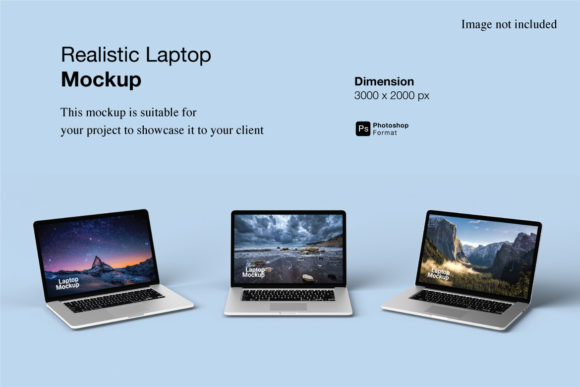
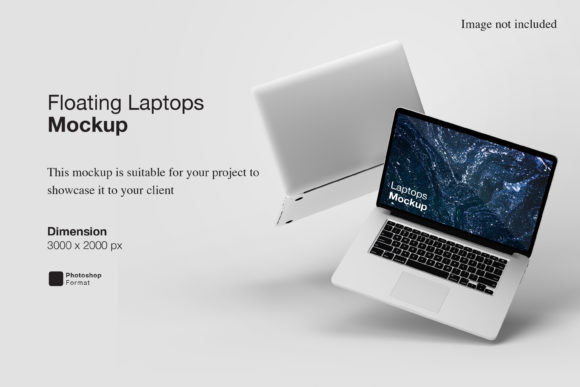
Imagine showcasing your new app interface, SaaS dashboard, or digital course — not as a flat screenshot, but as if it’s glowing on a sleek laptop suspended mid-air against a clean background. That’s the power of a Floating Laptops Mockup: a high-quality, editable design template that places your screen content inside a realistic, shadowed, three-dimensional laptop image — floating freely with natural depth and lighting.
Why Designers and Creators Reach for This Tool
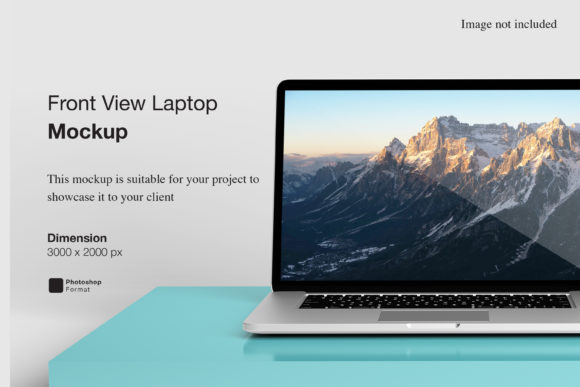
It’s not just about looking polished. A Floating Laptops Mockup bridges the gap between abstract ideas and tangible perception. When you’re pitching to clients, updating your portfolio, or launching a product, people connect faster with visuals that feel grounded in reality. Unlike generic device frames or low-res PNGs, these mockups simulate real-world context — subtle shadows, soft reflections, adjustable angles, and perspective-correct screen layers — all while keeping your focus content front and center.
They’re especially helpful if you’re not a 3D artist or motion designer. You don’t need Blender or After Effects to create convincing tech visuals. With tools like Photoshop, Figma, or even free editors like Photopea, you can drop your UI design into a smart object layer and instantly see how it looks on a modern MacBook, Windows ultrabook, or even a matte-black business laptop — all without distorting proportions or losing clarity.
Where It Fits Into Real Workflows
Freelancers building a website for a fintech startup might use a Floating Laptops Mockup to show their responsive dashboard across multiple devices — not just as code, but as something a stakeholder can *recognize* and *trust*. Educators launching an online workshop can place their course landing page inside a floating laptop to feature on social media or email headers. Bloggers reviewing productivity tools often pair screenshots with this kind of mockup to add visual rhythm and professionalism to their posts.
Small business owners running ads on Instagram or Google Ads benefit too. A floating laptop with a clean homepage or pricing table stands out in crowded feeds — more so than text-heavy banners or cluttered screenshots. The gentle lift and soft shadow suggest polish, attention to detail, and intentionality — qualities customers associate with reliability.
What Makes a Good One Worth Your Time
Not all Floating Laptops Mockups are created equal. Look for templates that offer:
- Smart object compatibility — so you can double-click and replace the screen with your own design in one click;
- Multiple angles and finishes — matte vs. glossy screens, silver vs. space gray bodies, open vs. slightly angled lids;
- Realistic lighting and shadow control — some let you adjust ambient light direction or soften edges for different backgrounds;
- Clean file organization — layered PSD or Figma files where screen, lid, base, and shadow are separate, editable groups.
Also consider resolution. For web use, 2000–3000px wide is plenty. But if you’re printing presentation decks or large-format signage, aim for 4K-ready files (at least 3840px wide) to avoid pixelation.
Practical Tips Before You Download or Buy
If you're new to mockups, start simple. Pick one with a neutral background and a single laptop angle — no rotating 360° views or animated GIF versions unless you specifically need them. Overcomplicating early on can slow down learning and distract from your core message.
Check licensing. Most premium Floating Laptops Mockup packs allow commercial use — great for agencies and solopreneurs — but always verify whether attribution is required or if resale of the mockup itself (e.g., as part of a template bundle) is restricted.
And remember: consistency matters more than variety. Using the same style of mockup across your website, pitch deck, and social previews builds brand recognition. A cohesive look tells your audience you’ve thought through every touchpoint — not just the functionality, but how it feels to experience your work.
How It Supports Different Roles — Without Extra Effort
A marketer preparing a campaign for a new note-taking app might drop their onboarding flow into a Floating Laptops Mockup and share it in a Slack update — instantly clearer than saying “Slide 3 shows the welcome screen.” A freelance UX writer could use the same mockup to visualize microcopy placement inside a real interface context, helping developers understand tone and hierarchy at a glance.
For educators creating digital lesson plans, placing a student-facing quiz interface inside a floating laptop helps administrators visualize engagement before rollout. Even hobbyists building personal portfolios find value: swapping out screen content lets them reuse the same mockup across projects — a blog redesign, a resume site, a photography gallery — saving hours over hunting for new assets each time.
One Small Change, Big Perception Shift
Think about the last time you saw a software demo shared as raw code snippets versus one wrapped in a Floating Laptops Mockup. Which felt more finished? More credible? More ready for real use? That’s the quiet impact of thoughtful presentation — not flashiness, but fidelity to how people actually interact with technology.
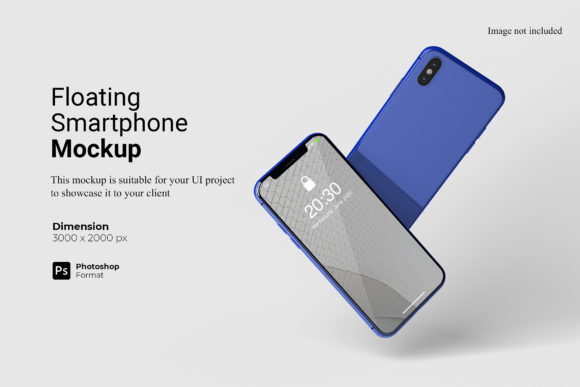
You don’t need advanced skills to get started. Many free versions exist for beginners, and paid collections often include bonus resources — matching tablet or phone mockups, editable background scenes (coffee shop, home office, minimalist studio), and even dark-mode screen variants. The goal isn’t perfection — it’s clarity, confidence, and connection.
Final Thought: It’s About Showing, Not Just Telling
In a world flooded with digital noise, standing out isn’t about louder messaging — it’s about smarter framing. A Floating Laptops Mockup gives your ideas physical presence. It turns abstract pixels into something viewers can imagine using, trusting, and recommending. Whether you're refining your first portfolio piece or scaling a product launch, this small visual tool supports big communication goals — simply, gracefully, and effectively.