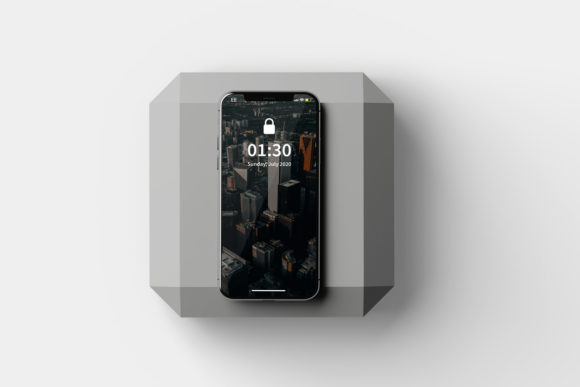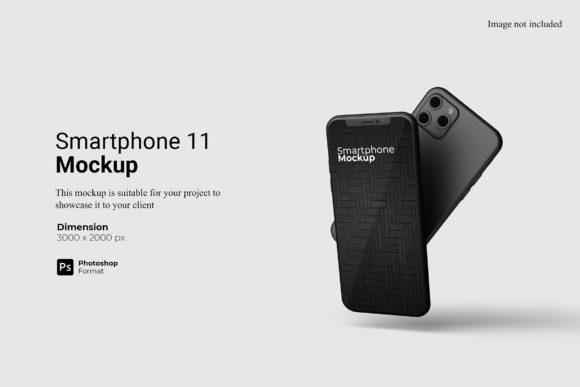
Smartphone 11 Mockup: Design with Purpose
A Smartphone 11 Mockup isn’t just a placeholder—it’s a precise, production-ready canvas for communicating ideas before code or hardware exists. Built to reflect the exact dimensions, curvature, notch placement, and screen-to-body ratio of the iPhone 11, it gives designers, marketers, educators, and small business owners a realistic frame for presenting apps, websites, branding, or content—without needing a physical device or coding environment.
Why This Mockup Stands Out
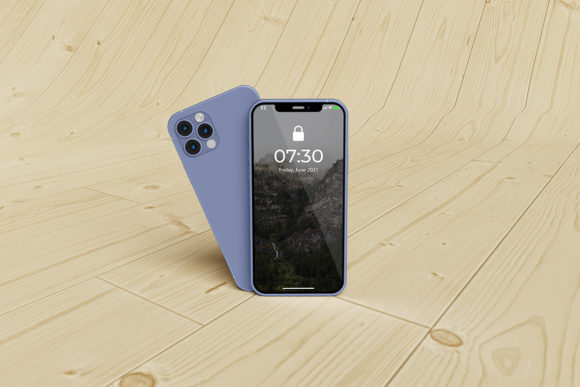
Unlike generic smartphone templates, the Smartphone 11 Mockup captures subtle but critical details: the matte glass back texture, the dual-camera cutout alignment, the slight chamfered edge, and even the accurate placement of volume and power buttons. These aren’t cosmetic flourishes—they’re functional cues that help viewers instantly recognize context and scale. When you drop a UI design into this mockup, users subconsciously register authenticity. That builds credibility faster than a stylized illustration ever could.
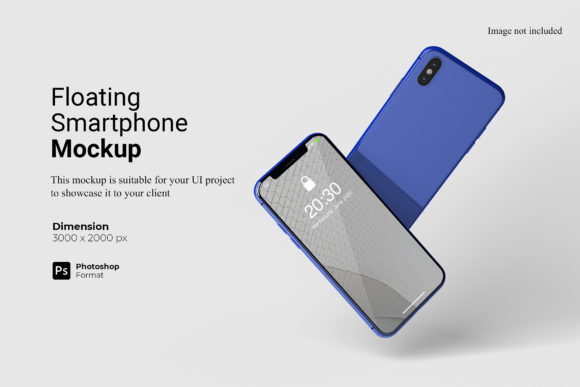
It’s also optimized for flexibility. Most versions include layered PSD or Figma files—with smart objects, editable shadows, and background toggles (white, gradient, blurred studio, or contextual scenes). You can rotate the device, adjust lighting direction, or swap in custom reflections—all without distorting proportions or breaking realism.
For App & Web Designers
Use the Smartphone 11 Mockup to showcase responsive behavior—not just on desktop, but as part of a real-world interaction flow. Try placing three sequential frames: onboarding screen → main dashboard → action confirmation—each in its own mockup, arranged diagonally across a presentation slide. This tells a story no wireframe alone can convey. Bonus tip: export each frame at 2x resolution, then animate them subtly in After Effects or Figma to simulate micro-interactions—like a tap triggering a modal or swipe revealing a menu.
For Marketers & Small Business Owners
Turn your next email campaign or social ad into something tangible. Instead of saying “our new booking app is live,” show a clean screenshot of your calendar interface inside the Smartphone 11 Mockup—set against a soft café background. Pair it with a short caption: “Book your next appointment in under 30 seconds.” Real devices + real context = higher trust and click-through rates. For local businesses, insert your logo into the home screen wallpaper layer and use it consistently across Instagram Stories, Google Business posts, and printed flyers—creating visual continuity across touchpoints.
For Educators & Content Creators
Teaching UX principles? Use the Smartphone 11 Mockup to compare two navigation patterns side-by-side: tab bar vs. bottom sheet. Annotate each with light callouts (e.g., “Less thumb travel”, “Reduces cognitive load”). Or if you're building a course on digital literacy, insert screenshots of phishing warnings, two-factor prompts, or privacy settings—then ask learners to identify what’s misleading or well-designed. The mockup grounds abstract concepts in familiar form.
For Freelancers & Agencies
Include the Smartphone 11 Mockup in your proposal decks—not as decoration, but as proof of execution readiness. Show your client exactly how their brand colors translate to iOS status bars, how their typography scales on a 6.1-inch display, or how their icon sits within Apple’s Human Interface Guidelines. It signals attention to detail and reduces revision loops. One freelancer reported cutting client feedback rounds by nearly 40% after switching from flat PNGs to layered mockups with editable components.
Styling With Intention
Don’t default to white background + centered device. Ask: What does this image need to communicate? A meditation app might sit on a sunlit windowsill with soft focus; a fintech dashboard could hover over a marble desk with a coffee cup in frame—suggesting productivity and calm authority. For B2B SaaS tools, try a dark mode UI inside the mockup against a neutral gray studio backdrop: clean, professional, distraction-free.
Consistency matters most when using multiple mockups in one project. Stick to one lighting angle (e.g., top-left), one shadow intensity, and one reflection style across all visuals. If you’re building a pitch deck, apply the same background blur radius and export resolution (300 DPI for print, 72 DPI for web) to every slide. Small choices like these quietly reinforce professionalism.
Practical Tips for Better Results
- Start with your goal: Is this for stakeholder approval? Social proof? Portfolio polish? Let that guide your styling—not trends.
- Test readability: Zoom out to 25%. Can you still read body text? If not, increase font size or reduce background noise.
- Respect safe zones: Keep critical UI elements at least 20px away from the notch and home indicator. The Smartphone 11 Mockup includes guides—use them.
- Label thoughtfully: If adding annotations, use a clean sans-serif (like Inter or SF Pro), 14–16pt size, and high-contrast color (not red unless signaling error).
- Export smartly: Save layered source files separately from final PNGs/JPEGs. Name exports clearly: “app-home-iphone11-lightbg.png”, not “screen1.png”.
When Simplicity Wins
Sometimes the strongest statement is restraint. A single Smartphone 11 Mockup—filled only with your core value proposition (“Track habits. Build confidence.”), set against an uncluttered white background, with subtle drop shadow—can outperform a busy carousel. Especially on landing pages or investor one-pagers. Clarity isn’t minimalism for its own sake. It’s removing everything that doesn’t serve the message—or the user’s next step.
That same principle applies to customization. Don’t add textures, borders, or animated effects unless they support understanding. A subtle parallax shift on scroll? Yes—if it demonstrates interaction. A glitter overlay? No—unless you’re designing for a children’s party app and that’s your authentic voice.
Getting Started Tomorrow
You don’t need premium tools to begin. Many free, well-documented Smartphone 11 Mockup files work in Figma (free tier), Photopea, or even Canva (with manual layer adjustments). Search for “iPhone 11 mockup free Figma” or “PSD iPhone 11 smart object”—and look for files updated within the last 18 months. Check reviews for notes on layer organization and compatibility.
Then pick one use case that aligns with your current priority: updating your portfolio homepage, prepping a client demo, or drafting your next newsletter visual. Spend 20 minutes dropping in your content. Notice where your eye lingers—and where it skips. That’s your first real usability test.
The Smartphone 11 Mockup won’t build your product. But it will help people see it, believe in it, and understand why it matters—before a single line of code runs.