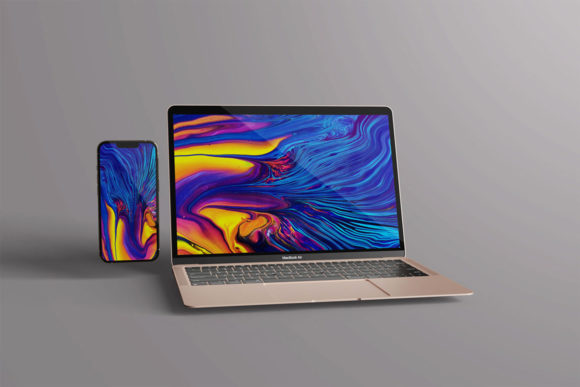
What Is a Device Mockup?
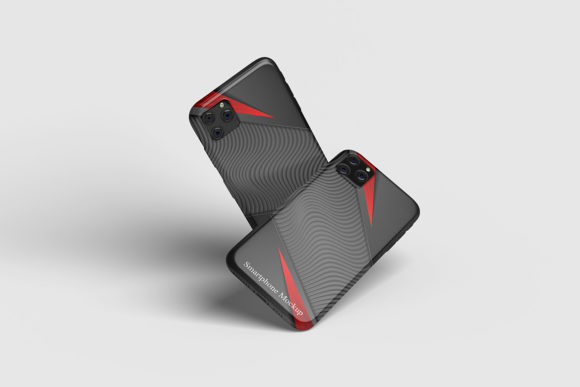
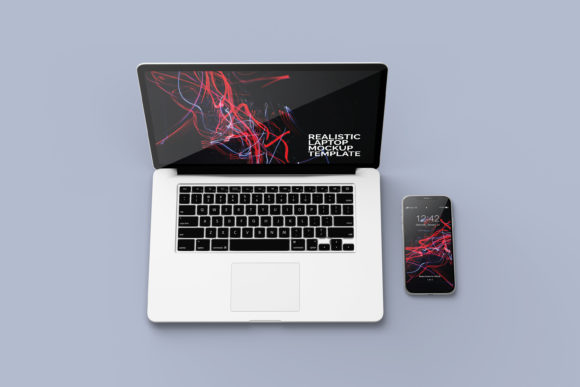
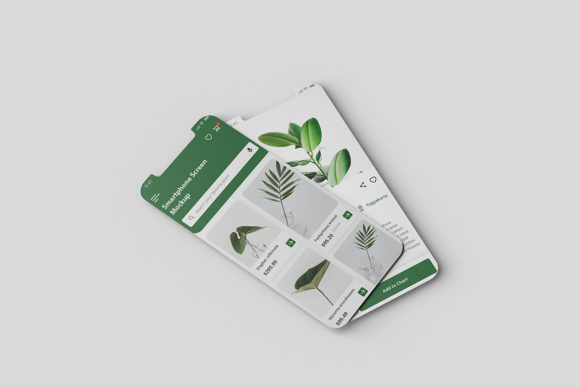
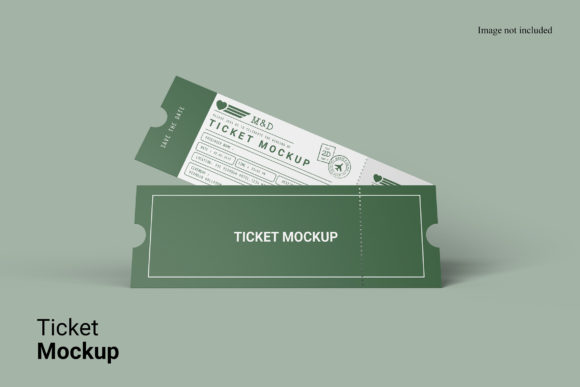
A device mockup is a realistic digital image or template that shows how your design—like an app screen, website layout, or marketing graphic—looks when placed on a real-world device such as a smartphone, tablet, laptop, or smartwatch. Think of it as a “frame” that brings your flat design to life by wrapping it around a high-fidelity photo or 3D-rendered device.
Why It Matters More Than You Might Think
When you’re sharing work with clients, pitching an idea to stakeholders, or showcasing a portfolio piece, people don’t just want to see pixels on a white background. They want context. A device mockup adds instant credibility and clarity—it answers the unspoken question: “Where will this actually appear?”
This isn’t about fancy effects or visual trickery. It’s about communication. A well-chosen device mockup helps viewers instantly recognize scale, orientation, interaction points, and even user intent—without needing explanation.
Who Uses Device Mockups—and Why?
Just about anyone building or presenting digital content benefits from device mockups:
- Freelancers and designers use them to present app interfaces or landing pages in client proposals—making feedback more specific and decisions faster.
- Small business owners drop their new logo or social ad into a phone mockup to preview how it’ll look in Instagram Stories or SMS campaigns.
- Educators and students create polished class projects or case studies, turning wireframes into tangible examples for presentations or portfolios.
- Bloggers and marketers illustrate tool reviews or tutorials—showing exactly where a button appears or how a dashboard functions on a real device.
- Entrepreneurs launching MVPs use mockups to test messaging and visual hierarchy before writing a single line of code.
Even if you’re not designing software, a device mockup can help visualize anything digital: a podcast cover on AirPods, an ebook thumbnail on a Kindle, or a fitness tracker UI on a wearable.
Real-Life Uses You Can Try Today
You don’t need advanced skills to get started. Here are simple, practical ways people use device mockups right now:
- Social media posts: Turn a blog banner into a sleek iPhone screenshot for Pinterest or LinkedIn—no coding, no photography.
- Client presentations: Swap out placeholder images in your pitch deck with branded mockups showing your design in context.
- Portfolio websites: Replace static screenshots with responsive mockups that adapt to desktop or mobile views.
- Email campaign previews: Show subscribers how your newsletter renders on iOS Mail vs. Gmail Android—using side-by-side mockups.
- Classroom demos: Illustrate UX principles like thumb zones or safe areas using annotated tablet or phone mockups.
Most tools let you drag and drop your design onto the device screen area—then adjust lighting, shadows, rotation, or background to match your brand tone.
What Makes a Good Device Mockup?
Not all mockups are created equal. The best ones balance realism with flexibility:
- High-resolution source files (like PSD, Sketch, or Figma layers) let you edit screen content without losing quality.
- Smart object support means one click updates every instance—even across multiple angles or devices.
- Natural lighting and perspective help your design feel grounded—not pasted on like a sticker.
- Clean backgrounds or customizable scenes keep focus on your work, whether it’s a minimalist studio setup or a lifestyle shot of someone holding the device.
Some creators prefer subtle mockups—just a device outline with soft shadow—while others go for immersive scenes: a hand holding a phone on a café table, or a laptop open beside coffee and notes. Choose what fits your message and audience.
Things to Keep in Mind Before You Start
Before downloading or purchasing mockups—or diving into creating your own—here are a few practical considerations:
- Licensing matters. Free mockups often allow personal use only. If you’re using them for client work or commercial products, check usage rights carefully.
- File compatibility counts. Make sure the mockup works with your design tool—Figma, Adobe Photoshop, Affinity Designer, or Canva each handle layers and smart objects differently.
- Consistency builds trust. If you’re showing multiple screens (e.g., onboarding flow), use the same device model and angle so viewers stay oriented.
- Don’t overdo it. One strong mockup often communicates more than three busy ones. Let your design shine—not the chrome bezel.
- Accessibility still applies. Even in mockups, ensure text contrast and tap targets meet basic readability standards—especially if presenting to developers or compliance teams.
Getting Started Is Simpler Than You Expect
You don’t need expensive software or design degrees. Many free and low-cost options exist:
- Figma and Canva offer built-in device frames—great for quick drafts and internal reviews.
- Marketplaces like Envato Elements or Mockup World provide curated, professionally lit mockups—often with lifetime licenses.
- Open-source tools like CSS Houdini examples or lightweight web apps let you generate browser-based mockups on the fly.
Start small: pick one device (iPhone 15, MacBook Air, or iPad Pro are popular choices), drop in your latest design, and share it with a friend or colleague. Notice how much faster they “get” what you’re building.
It’s Not About Perfection—It’s About Clarity
A device mockup isn’t a replacement for testing on real hardware or user feedback. But it *is* a powerful bridge between abstract ideas and shared understanding. Whether you're explaining a feature to a non-technical investor, prepping a student presentation, or refining your own design instincts, it adds dimension—literally and figuratively.
The goal isn’t to mimic reality down to the pixel. It’s to make your work easier to see, understand, and act on. And when done thoughtfully, a device mockup does exactly that—quietly, effectively, and without drawing attention to itself.