Clean Magazine Mockup V2: Real-World Use Cases
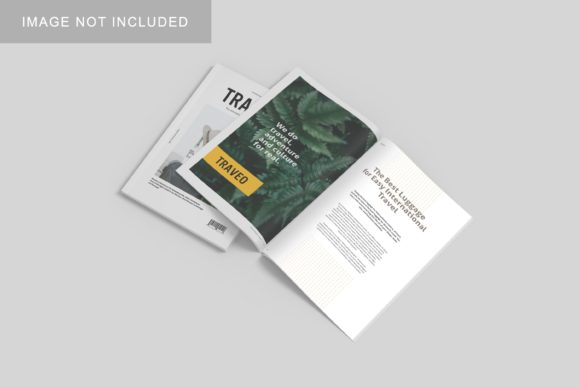
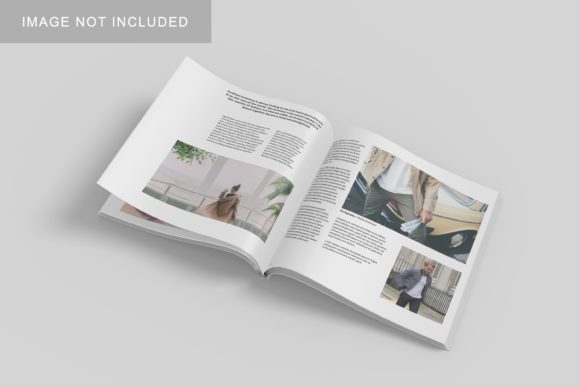
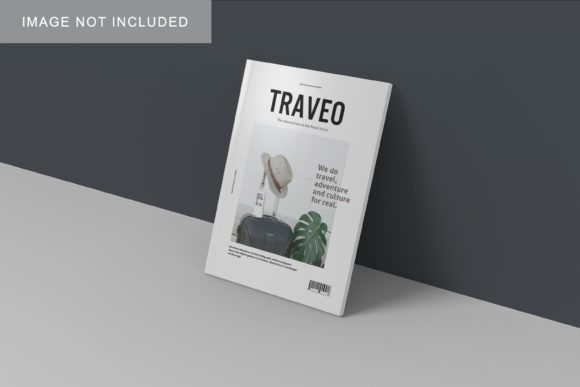
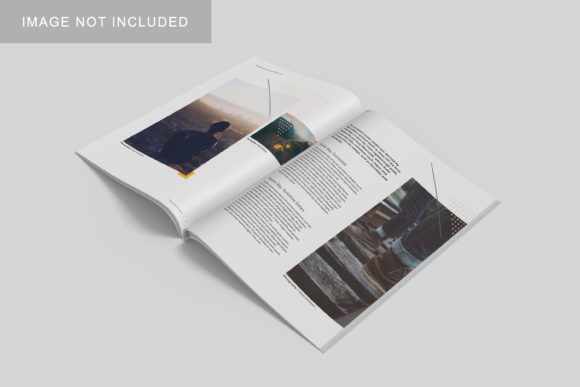
Imagine presenting your latest editorial layout, blog redesign, or brand campaign—not as a flat PDF or pixelated screenshot, but as a polished, photorealistic magazine spread resting on a sunlit desk, with soft shadows and subtle paper texture. That’s what Clean Magazine Mockup V2 delivers: a high-fidelity, layered Photoshop (PSD) file designed to showcase print and digital magazine designs with authenticity and ease.
Who Benefits—and Why It’s Not One-Size-Fits-All
The value of Clean Magazine Mockup V2 shifts meaningfully depending on where you sit in the creative ecosystem. A freelance graphic designer pitching to a lifestyle brand cares about presentation polish; a university journalism instructor wants clarity and accessibility for students; a small-biz owner launching a seasonal catalog needs speed and reliability—not technical friction.
For Beginners & Students
If you’re just learning InDesign or experimenting with typography and grid systems, Clean Magazine Mockup V2 lowers the barrier to professional-looking presentations. Its well-organized layers—cover, spread, spine, background—are clearly labeled and non-destructive. You don’t need advanced masking skills to drop in your design: paste your artboard into the smart object, save, and watch it render naturally in context. No rendering plugins. No 3D software. Just focus on composition and content.
One educator in Portland uses it with undergrads to teach visual hierarchy: students submit two versions of the same article layout—one raw, one placed in Clean Magazine Mockup V2. The contrast sparks immediate conversation about tone, credibility, and audience perception.
For Designers & Creative Professionals
Experienced designers often prioritize flexibility over simplicity. Clean Magazine Mockup V2 supports multiple aspect ratios (A4, US Letter, square), includes editable lighting and shadow intensity, and allows custom background swaps—wood grain, marble, studio white—without flattening layers. That means you can quickly generate three distinct mood boards for a client review: minimalist, warm, editorial.
A Brooklyn-based branding studio uses it not just for final delivery—but during discovery. They place rough wireframes into the mockup early on, helping clients visualize pacing and rhythm before a single font is finalized. That shared context cuts revision rounds by nearly 40%.
For Marketers & Content Creators
When promoting a new newsletter, ebook, or subscriber-only publication, how your content appears matters more than ever. Clean Magazine Mockup V2 helps marketers move beyond generic Canva templates. You can embed real headlines, pull quotes, and even simulated QR codes—all while maintaining consistent brand color and type treatment across cover and interior spreads.
A wellness blogger used it to preview her first print zine: she exported her Substack posts into a clean layout, dropped them into the mockup, and shared the result on Instagram Stories. Engagement spiked—readers commented not just on content, but on “how premium it felt.” Perception, in this case, directly supported conversion.
For Educators & Trainers
Teaching layout principles without access to licensed Adobe software? Clean Magazine Mockup V2 works in free alternatives like Photopea (which fully supports PSD smart objects). Instructors can pre-load sample layouts—good, mediocre, and problematic—and ask students to critique spacing, bleed alignment, or image-to-text balance *within the mockup context*. That grounds theory in tangible, visual reasoning.
It also sidesteps copyright concerns: unlike stock photo mockups that may embed licensed fonts or textures, Clean Magazine Mockup V2 is intentionally neutral—no proprietary assets, no hidden licensing traps. What you add, you control.
What to Consider Before You Use It
Not every project calls for a magazine mockup—and not every mockup fits every workflow. Here’s how to assess whether Clean Magazine Mockup V2 aligns with your actual needs:
- Ease of use: If you open PSD files rarely—or rely on Figma or Affinity—check compatibility first. While smart objects work in many editors, layer effects (like subtle bevels or ambient occlusion) may render differently outside Photoshop.
- Commercial scope: It’s licensed for both personal and commercial use—including client deliverables and portfolio sites. But resale of the mockup itself (e.g., bundling it into a template shop) isn’t permitted. Always verify the license terms included with your download.
- Output quality: At 4500×3000 px and 300 DPI, it scales cleanly for web, pitch decks, and print proofs. But if you need ultra-high-res billboard variants or animated versions, this isn’t the tool—it’s built for fidelity at common editorial sizes, not motion or massive scale.
- Learning value: Unlike AI-generated mockups, working with layered PSDs reinforces understanding of resolution, bleed, safe zones, and non-destructive editing. For learners, that’s intentional scaffolding—not outdated tech.
Real Projects, Real Decisions
A nonprofit launching an annual impact report evaluated three options: a $199 subscription mockup suite, a free but low-res alternative, and Clean Magazine Mockup V2. Their team chose the latter—not because it was cheapest, but because its clean layer structure let their part-time volunteer designer make quick updates across 12 language versions without breaking alignment. Time saved equaled budget preserved.
Meanwhile, a product photographer testing new lighting setups used Clean Magazine Mockup V2 in reverse: instead of placing design into the mockup, they inserted high-res product shots *as the featured imagery* inside the layout—then shared those composites with e-commerce clients to demonstrate how products would appear in editorial contexts. It became an unexpected bridge between studio and marketing teams.
Does It Fit Your Next Step?
You don’t need to be “ready” to use Clean Magazine Mockup V2. You just need a reason to show something—clearly, confidently, and contextually. Whether you’re:
- Building your first Behance portfolio,
- Preparing a grant application with visual deliverables,
- Iterating on a pitch deck for a publishing client,
- Teaching layout fundamentals to high school media students,
- Or simply wanting to see how your typographic choices breathe on real page geometry—
…this mockup meets you where you are. It doesn’t assume expertise. It doesn’t demand upgrades or subscriptions. And it doesn’t distract from your work—with clean lines, thoughtful spacing, and zero visual noise, it keeps attention where it belongs: on your ideas.
No tool replaces craft. But the right tool—like Clean Magazine Mockup V2—can help your craft land with clarity, credibility, and quiet confidence.