Clean Magazine Mockup V3: Realistic, Versatile & Ready to Use
Imagine presenting your latest article layout, brand story, or editorial concept—not as a flat PDF or layered PSD—but as a polished, photorealistic magazine sitting on a sunlit desk, held in clean hands, or displayed on a sleek coffee table. That’s the power of Clean Magazine Mockup V3. It’s not just another design template. It’s a high-fidelity, smartly crafted visual tool that helps creators showcase print and digital magazine designs with authenticity and professionalism—no photography studio, lighting setup, or 3D software required.
What Makes Clean Magazine Mockup V3 Stand Out?
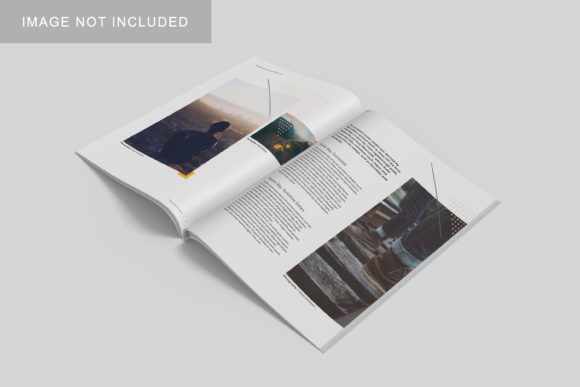
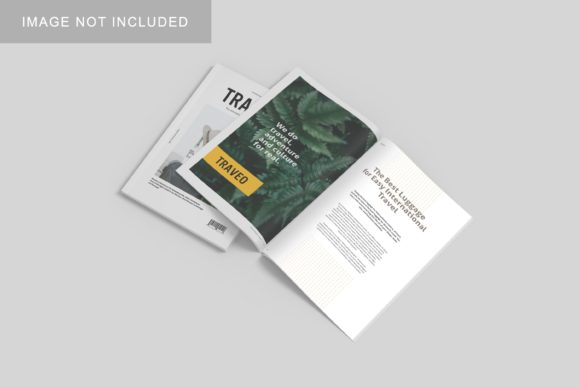
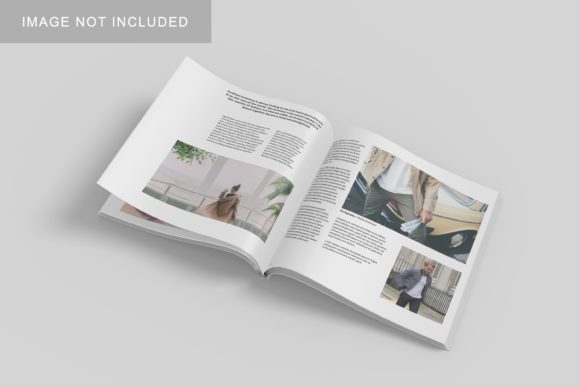
This version builds thoughtfully on its predecessors. You’ll find refined lighting, subtle texture depth, natural shadow gradients, and flexible smart layers—all optimized for Adobe Photoshop (CC 2020+). Unlike generic mockups, Clean Magazine Mockup V3 prioritizes realism without sacrificing usability. The cover and interior pages are fully editable via intuitive layer groups. You can swap in your own typography, images, and color schemes—and see how they look in context, instantly.
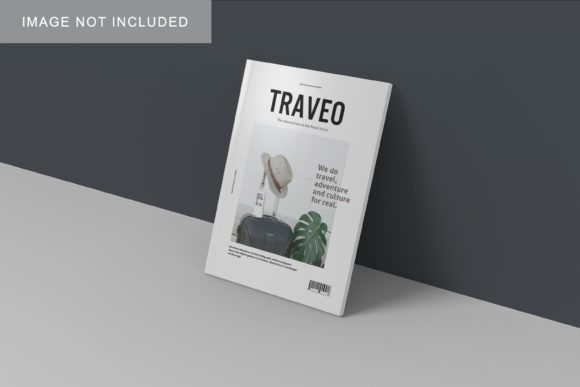
It comes in multiple scene variations: a minimalist white desktop view, a lifestyle-oriented “hand-held” angle, and a soft-lit studio shot with gentle paper curl and matte finish. Each reflects how real readers interact with magazines—casually, intentionally, or even emotionally. That attention to human context is why designers, marketers, and educators consistently choose this mockup when credibility matters.
Who Benefits—and Why?
If you’re launching a small-batch indie publication, pitching a rebrand to stakeholders, or building a portfolio as a freelance designer, Clean Magazine Mockup V3 bridges the gap between concept and confidence. Bloggers use it to preview seasonal content themes before writing a single word. Educators show students how layout choices affect reader engagement—by swapping fonts or margins and seeing the impact in a realistic frame. Small business owners apply it to visualize branded content for local events, wellness guides, or community newsletters.
Even if you’ve never opened Photoshop before, the included documentation walks you through placing your design in under two minutes. No need to understand blending modes or layer masks upfront—you simply drag your artwork into the designated smart object, save, and export. That low barrier to entry makes it especially valuable for hobbyists exploring editorial design or entrepreneurs testing visual messaging before committing to print runs.
Real-World Uses You’ll Recognize
- A freelance graphic designer uses Clean Magazine Mockup V3 to present three cover options to a café owner launching a quarterly zine—each shown in the same warm, inviting setting, so the client focuses on content and tone, not technical execution.
- An online course instructor embeds the mockup into lesson slides to demonstrate hierarchy, whitespace, and grid alignment—students see theory applied in a tangible, relatable format.
- A nonprofit communications team creates a compelling annual report preview using the hand-held scene, then shares it on social media—generating 3x more engagement than a static PDF link.
- A student preparing a capstone portfolio places their editorial project inside Clean Magazine Mockup V3 to convey professionalism and intentionality—even before printing a physical copy.
More Than Just Pretty Pictures
What sets Clean Magazine Mockup V3 apart isn’t just aesthetics—it’s thoughtful functionality. The mockup supports both CMYK and RGB workflows, includes bleed-safe guides, and respects standard A4 and US Letter dimensions. You can adjust lighting intensity, rotate the magazine slightly for variation, or mute background elements to focus attention on your content. These aren’t gimmicks—they’re practical refinements born from real user feedback.
It also respects accessibility and workflow efficiency. Layer names are clear and consistent (“Cover – Front”, “Page 5 – Left”, etc.). There are no hidden effects or locked assets. And because it’s built with non-destructive smart objects, you can update your design across all scenes with one edit—ideal when iterating quickly or responding to stakeholder feedback.
Things to Keep in Mind Before You Begin
While Clean Magazine Mockup V3 is beginner-friendly, a few considerations help you get the most out of it:
- Your source files should be high-resolution (at least 300 DPI for print previews) and saved as PSD, PNG, or JPEG. Low-res images will appear pixelated in the final render—even if the mockup itself is sharp.
- Color accuracy matters, especially for brand-critical projects. Soft-proof your design in Photoshop using the same color profile you plan to use for final output (e.g., Coated FOGRA39).
- Not all scenes suit every message. A bold, energetic cover may shine in the studio shot—but feel disconnected in the muted desktop view. Try different angles to match your tone.
- It’s a presentation tool—not a design tool. You’ll still craft your layouts in InDesign, Illustrator, or Canva first. Clean Magazine Mockup V3 brings them to life visually, not structurally.
- Licensing is straightforward but important: personal and commercial use is included, but redistribution or resale of the mockup itself isn’t permitted. Always check the license terms provided with your download.
When Simplicity Meets Impact
In a world flooded with flashy templates and over-engineered tools, Clean Magazine Mockup V3 succeeds by staying focused on what truly helps people communicate better. It doesn’t try to replace design skills—it amplifies them. It doesn’t promise overnight success—but it does give you a reliable, respectful way to share your ideas with clarity and care.
Whether you're sketching your first editorial concept or refining the tenth iteration of a client’s flagship publication, this mockup meets you where you are. It saves time without cutting corners. It invites collaboration without demanding expertise. And it reminds us—every time we place our work into its frame—that how something looks shapes how it’s understood.
So if you've hesitated to share your magazine design because it "doesn’t feel finished yet," or if you've spent too long searching for a mockup that feels authentic instead of artificial—Clean Magazine Mockup V3 might be the quiet, capable partner your creative process has been missing.